
What Is Google Search Console?
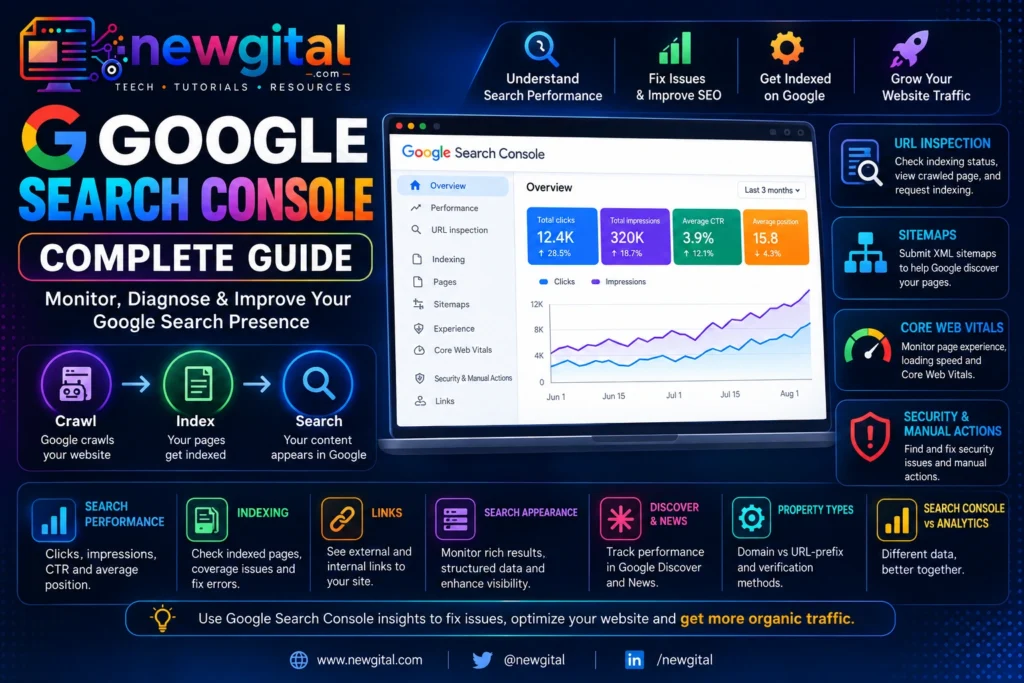
Google Search Console (GSC) is Google’s free platform for website owners, developers, publishers, and SEO professionals. It shows how Google discovers, crawls, indexes and displays your pages in Google Search. It also provides search-performance data such as clicks, impressions, click-through rate (CTR) and average position.
Search Console is not a ranking-control panel. Adding a site, verifying ownership, submitting a sitemap, or requesting indexing does not guarantee that Google will index a page or improve its ranking. Its real value is visibility: it helps you identify problems, understand search demand, and make better technical and content decisions.
In this complete guide, you will learn how to set up Google Search Console, understand its main reports, diagnose indexing problems, analyze SEO performance, monitor Core Web Vitals and structured data, and build a practical GSC workflow.
Google Search Console is a free Google service that helps you monitor and troubleshoot a website’s presence in Google Search. It provides information about how Google crawls, indexes, and serves your website and helps you understand your search performance.
You can use it to:
- Check whether Google can discover and index important pages.
- Inspect individual URLs and test their live versions.
- Analyze queries, pages, countries, devices, clicks, impressions, CTR, and position.
- Submit and monitor XML sitemaps.
- Identify indexing and crawling problems.
- Monitor Core Web Vitals using real-world usage data.
- Review eligible structured-data and rich-result issues.
- Check links that Google has discovered.
- Investigate security issues and manual actions.
- Monitor Search, Discover, and, where available, News performance.
- Receive alerts when Google detects certain important problems.
Google describes Search as three broad stages: crawling, indexing, and serving search results. Search Console provides information about these stages, but it does not give website owners direct control over Google’s ranking systems.
Google Search Console vs Google Analytics
| Tool | Main question | Useful data |
|---|---|---|
| Google Search Console | How is my site performing on Google Search? | Queries, clicks, impressions, CTR, position, indexing |
| Google Analytics | What do visitors do after reaching my site? | Sessions, engagement, conversions, events, user behavior |
Search Console is the primary source for Google Search performance data, while Analytics is useful for understanding behavior on your website. Their numbers will not necessarily match because the systems measure different things.
A useful workflow is:
Search Console → discover search opportunity or problem → Analytics →
understand on-site behavior → website changes →
Search Console → measure the search result changes
How to Set Up Google Search Console
Step 1: Sign in

Step 2: Add your property

Step 3: Verify ownership

Step 4: Wait for data
How to add property to GSC
Search Console supports two main website property types.
Domain property
A Domain property covers the domain and its subdomains across protocols. For example, example.com includes HTTP and HTTPS versions and subdomains such as www.example.com and blog.example.com.
Domain properties use DNS verification.
URL-prefix property
A URL-prefix property covers URLs that begin with the exact prefix you enter, such as https://example.com/ or https://example.com/blog/. It is narrower in scope and supports several verification methods.
For most website owners who control DNS, a Domain property is a convenient way to capture the broader site. A URL-prefix property is useful when you need a specific protocol, subdomain, or path.
How to Verify ownership
Depending on the property type, Google can offer verification methods such as DNS, an HTML file, an HTML tag, Google Analytics, or Google Tag Manager. Domain properties require DNS verification.
After verification, give access only to people who need it. Keep ownership and user permissions under control, especially for business and client websites.
Search Console data does not necessarily appear instantly. A new property needs time to accumulate information, and a new page may take time to be discovered, crawled, and indexed. Google says new pages can take several days or longer to be noticed and processed.
Do not treat a new property’s empty report as proof that your website is broken.
Understanding the Search Console Overview
The Overview page gives you a high-level view of your property’s Search performance and important issues.
Use it as a dashboard, not as a complete SEO audit.
Check for:
- Large changes in clicks or impressions.
- Indexing problems.
- Manual actions.
- Security issues.
- Recommendations.
- Core Web Vitals or other enhancement issues.
- Important changes after a site migration or redesign.
Search Console’s Insights report can also provide a simplified view of important performance trends. Availability of some newer reports or features can vary as Google rolls them out.
FAQ
Is Google Search Console free?
Yes. Google Search Console is a free service for website owners and other eligible users who manage properties.
Does Google Search Console improve rankings?
No. Search Console itself does not directly increase rankings. It provides data and diagnostic tools that can help you identify opportunities and technical problems.
How often should I check Search Console?
For many websites, a monthly review is sufficient for routine monitoring, with additional checks after major launches, migrations, technical changes, or unexpected traffic changes. Google can also send alerts for important issues.
How long does Google take to index a page?
There is no fixed indexing time. New or changed URLs can take days or longer depending on the site, URL, content, discovery, crawling, and other factors. A sitemap or indexing request can help Google discover or revisit URLs, but neither guarantees immediate indexing.
Should every page submitted to Search Console?
No. Use URL Inspection for a small number of important URLs and use sitemaps for larger groups of URLs. Focus on making important pages discoverable and technically indexable.
What is the difference between crawling and indexing?
Crawling is when Google fetches a page. Indexing is when Google analyzes and stores information about that page in its index. A crawled page is not necessarily indexed, and an indexed page is not guaranteed to rank highly.