
Introduction
‘robot.txt’ is a small text file & it plays an important role in technical SEO and website crawling instructions to automated clients, commonly called bots, crawlers, or spiders.
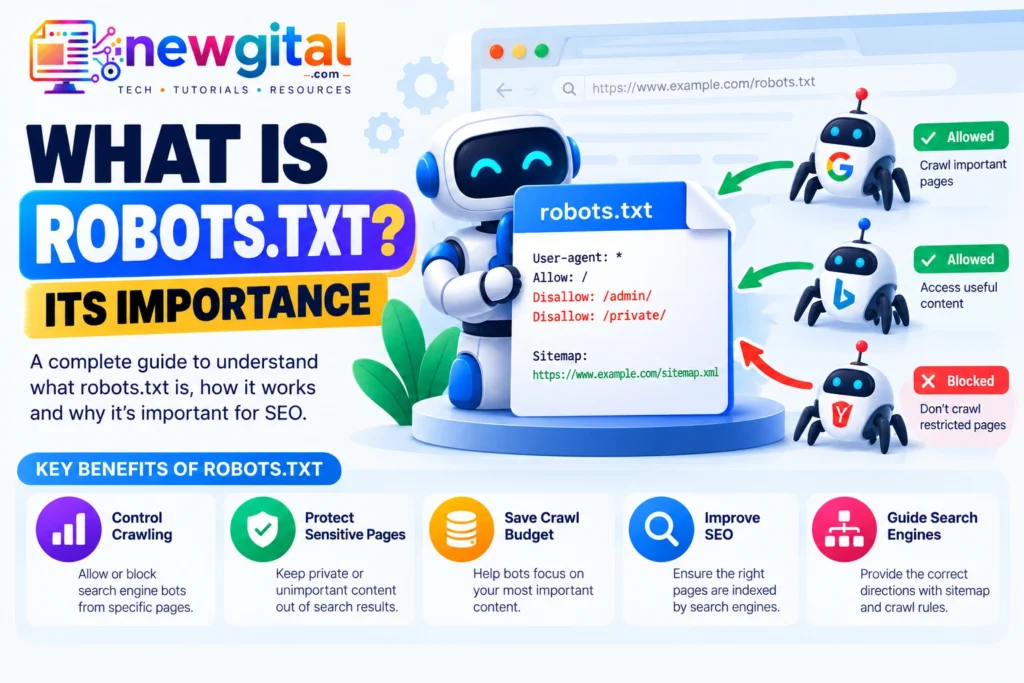
A robots.txt file tells compliant search engine crawlers which URLs they are allowed or not allowed to request from a website. It is mainly used to manage crawler access, reduce unnecessary crawling and keep search engine bots away from areas that do not need to be crawled.
However, robots.txt is often misunderstood. It does not act as a password, firewall, or reliable method for removing a page from search results.
The file is normally placed at the root of a website: https://example.com/robots.txt
The Robots Exclusion Protocol, documented as IETF RFC 9309, defines the standard for the file and explains how crawlers can interpret its rules. The protocol is based on instructions that crawlers are requested to honor; it is not an access-control mechanism.
For example, a simple robots.txt file might contain:
User-agent: *
Disallow: /admin/
Disallow: /private/
This tells compliant crawlers that the rules apply to all user agents and that they should not request URLs under /admin/ or /private/.
The important word is crawlers. A robots.txt file communicates crawler-access preferences; it does not make a URL private.
Why Is Robots.txt Important?
Robots.txt is important because search engines cannot crawl every possible URL on a large website indefinitely. Websites can contain duplicate URLs, filtered pages, internal search results, temporary resources, administrative paths and other areas that provide little value to search engines.
A carefully configured robots.txt file can help search engines spend crawling resources on URLs that matter. Google describes robots.txt primarily as a way to manage crawler traffic and prevent unnecessary crawling. It can also be useful for avoiding the crawling of unimportant or similar URLs and certain resources.
1. It Helps Control Crawler Access
We can use robots.txt to tell compliant crawlers which paths they should not request.
For example:
User-agent: *
Disallow: /admin/
Disallow: /tmp/
This can keep crawlers away from areas that do not need to be crawled.
2. It Can Reduce Unnecessary Crawling
Large websites can generate many URLs through filters, sorting, parameters, calendars, internal search and other features. Blocking genuinely unnecessary crawl paths can help reduce crawl waste. Google recommends considering robots.txt for problematic dynamic URLs and infinite URL spaces, such as certain search-result, calendar, filtering and ordering URLs.
3. It Can Help Protect Server Resources
Every crawler request consumes some server resources. If a site has a large number of low-value URLs, controlling crawler access can help reduce unnecessary requests. This does not mean robots.txt should be used to block everything that looks unimportant. Important pages and resources should remain accessible to search engines when they need to understand and index the site.
4. It Gives Crawlers Site-Specific Instructions
Different crawlers can have different user-agent names. A robots.txt file can contain general rules or rules targeted at a particular crawler.
For example:
User-agent: Googlebot
Disallow: /temporary/
You can also use:
User-agent: *
Disallow: /temporary/
The first targets the Googlebot user agent, while the second applies to all crawlers that honor the rule.
How does robots.txt work?
When a crawler visits a website, it can request the site’s robots.txt file and use the applicable rules to decide which URLs it should request.
A standard robots.txt file is located at the top level of the host: https://example.com/robots.txt
The protocol specifies that the file must be named robots.txt, use the top-level /robots.txt path and be UTF-8 encoded.
A typical process looks like this:
- A crawler discovers your website or a URL on your website.
- The crawler requests
/robots.txt. - The crawler identifies the group of rules that applies to its user agent.
- The crawler checks whether the requested URL matches an
AlloworDisallowrule. - If the crawler honors robots.txt and the URL is disallowed, it should not request that URL.
- Allowed URLs can be crawled normally, subject to the crawler’s other rules and systems.
Robots.txt therefore sits primarily at the crawling stage, not the indexing stage.
robots.txt is not a mechanism for keeping a web page out of Search Engine. A URL blocked by robots.txt can still appear in search results if search engine discovers the URL elsewhere.
Suppose that If a page to be removed from Google’s index, the crawler needs to be able to access the page and see the noindex directive. Google specifically notes that blocking a page with robots.txt can prevent Googlebot from seeing its noindex tag.
For example, if a page is wanted to be indexed normally, do not use:
User-agent: *
Disallow: /products/
if /products/ contains important product pages. If a particular product page is wanted to be exclude from search, a page-level directive must be such as:
<meta name="robots" content="noindex">
is generally the more appropriate approach, provided the page remains crawlable.
Important directives for robots.txt
Several directives are commonly used when creating robots.txt file.
- User-agent
- Disallow
- Allow
- Sitemap
User-agent
User-agent identifies which crawler a group of rules applies to. The * is a wildcard meaning the group applies to crawlers that do not have a more specific matching group.
For all crawlers
User-agent: *
For specific crawler
User-agent: Googlebot
Disallow
Disallow tells a compliant crawler not to request matching URLs.
Example:
User-agent: *
Disallow: /admin/
This blocks crawling of URLs beginning with /admin/.
Allow
Allow can be used to permit a more specific path when a broader Disallow rule exists.
For example:
User-agent: *
Disallow: /images/
Allow: /images/public-logo.png
Sitemap
A robots.txt file can also contain a sitemap URL: Sitemap: https://example.com/sitemap.xml
A sitemap is not a replacement for robots.txt. They serve different purposes. A useful way to remember the difference is:
- robots.txt: tells crawlers what they should avoid crawling.
- XML sitemap: tells search engines about URLs you want them to discover and understand.
Where should robots.txt be placed?
The robots.txt file must be placed at the root of the relevant host. For example: https://example.com/robots.txt
It should not normally be placed like : https://example.com/blog/robots.txt
A robots.txt file under /blog/ does not control the entire domain. The protocol defines /robots.txt at the top-level path as the standard location.
How to create a robots.txt file
Steps to creating a basic robots.txt file are given below:
- Identify What Should Not Be Crawled
- Choose the Appropriate User Agent
- Add Disallow or Allow Rules
- Add Your Sitemap
- Upload the File to the Root Directory
- Test the Rules